Before entering my Bachelor of Education, I studied Geographic Information Systems (GIS), where I was introduced to Tobler’s First Law of Geography: “Everything is related to everything else, but near things are more related than distant things.” Although this principle was developed to describe spatial relationships, I have come to see it reflected in education. Learning is built on connections between students, teachers, communities, ideas, and technology.
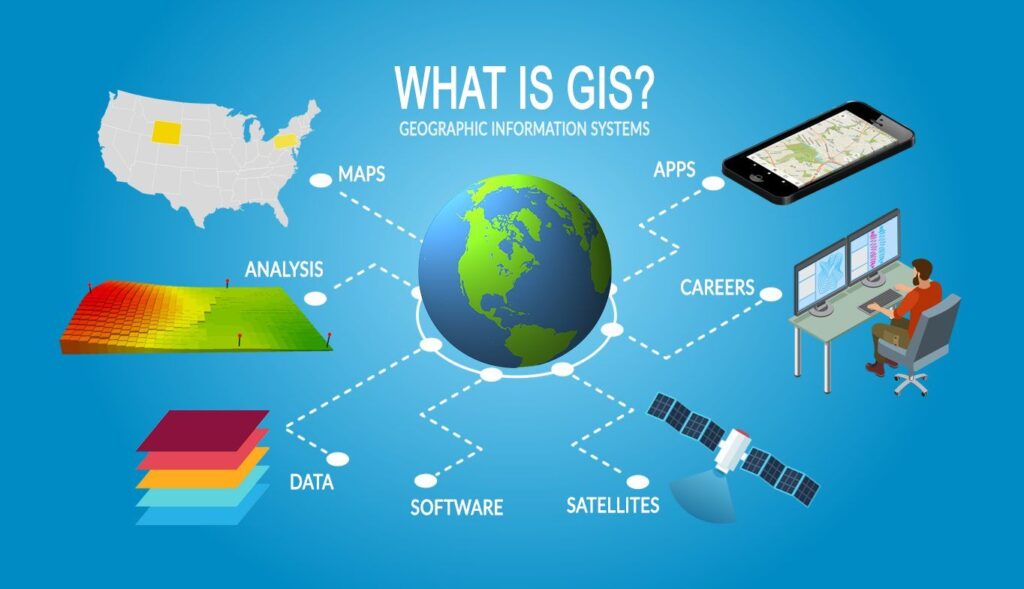
” Everything is related to everything else, but near things are more related than distant things.”
Tobler’s First Law of Geography
As I explored educational technology throughout this course, I found myself returning to this idea of connection. Rather than viewing technology as an end in itself, I began to see it as a tool that can strengthen relationships, increase accessibility, encourage collaboration, and create authentic learning experiences. This portfolio highlights my learning throughout EDIT 4150 and how my understanding of educational technology has evolved.
Reflections/Course Journey
Day 1: Learning Theories and Phases of Educational Technology
What is “technology”?
Technology is any tool, resource, or system that helps people solve problems, complete tasks, or support learning. I was reminded that technology is any tool that supports learning, whether it is low-tech such as a whiteboard or high-tech like digital, it is the purpose behind the tool that matters most.
6 Word Story Describing Yourself or Goals in the Course.
Connected places, connected people, connected learning
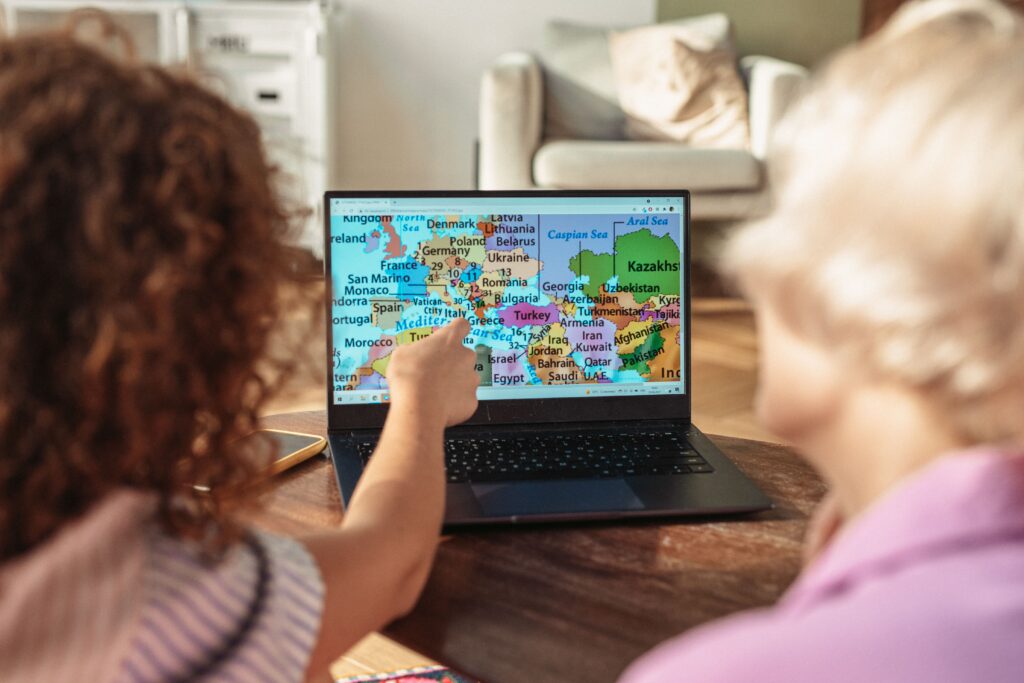
Learning Theories
Today, we examined the evolution of educational technology alongside learning theories. I found myself most aligned with constructivist and co-constructivist approaches. I found ideas of Jean Piaget and Lev Vygotsky interesting as they emphasise that knowledge is built through hands-on experiences, inquiry, collaboration, and meaningful dialogue rather than simply transmitted from teacher to student. These perspectives reflect the kind of classroom I hope to create, where technology is used to support active, collaborative learning rather than replace it.
Jean Piaget
- Learning through experience and connecting to the real world
- Learning builds on prior knowledge
- Developmentally appropriate learning
- Stages of Cognitive Development
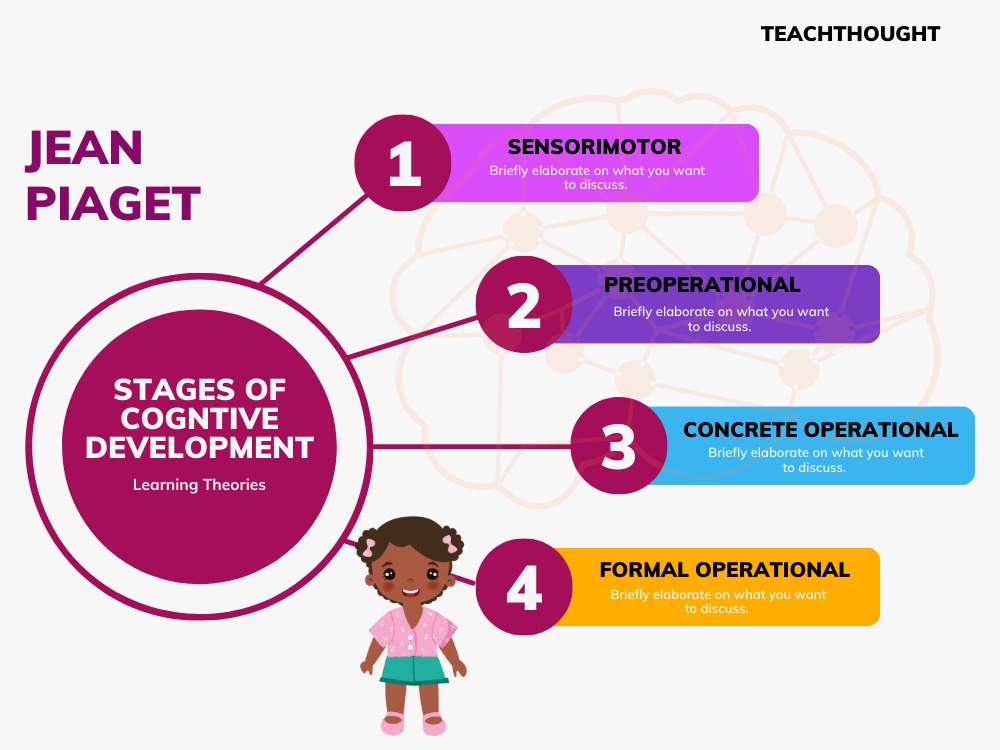
From a lens of Piaget: Learning occurs as students actively construct knowledge according to their stage of cognitive development. Each phase of educational technology provides experiences that support this cognitive growth.
Lev Vygotsky
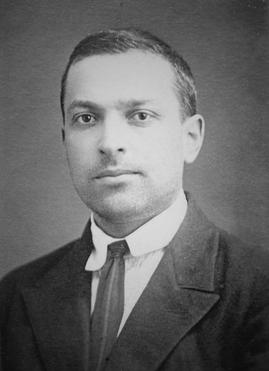
- Foundational ideas for social constructivism
- If we don’t have an experience, we are deficient in a skill
- Zone of Proximal Development
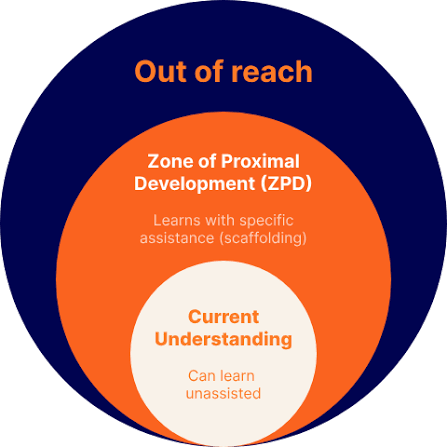
From a lens of Vygotsky: Learning is enhanced through social interaction and scaffolding. As educational technology evolved, it increasingly enabled collaboration, personalised support, and guided learning within students’ Zone of Proximal Development.
Day 2: Technology Tools
What Technology Would You Like To Try Using With Students?
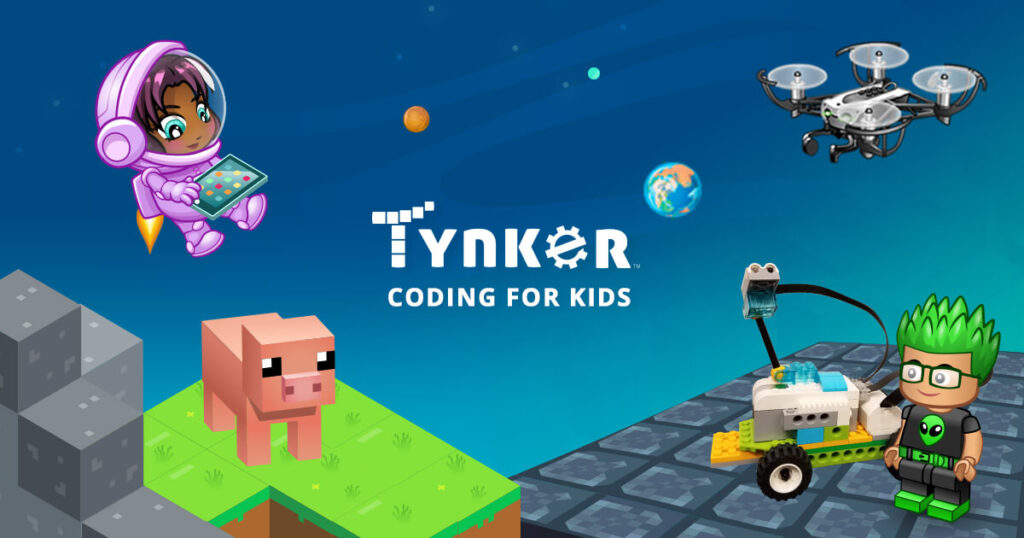
I would like to use virtual labs/simulator education games with students where they can do hands-on interactive learning. For example, Tynker which provides coding games and educational resources for teachers.
For me, I think technology in the classroom can be really useful when it creates some kind of valuable experience to learning. I am a believer of “learning by doing” and think that technology such as Tynker is a great way to incorporate that.
Escape Room
Today, we explored a digital escape room. It made me think about how technology can move beyond simply delivering content to creating interactive learning experiences where students actively apply their knowledge. I found it a good way to be relatable to students interests while being an effective way to review concepts or introduce new topics while encouraging teamwork. Digital escape rooms can increase engagement and collaboration, they are most effective when they are intentionally designed to support learning objectives rather than using technology for its own sake.
Text-to-Speech
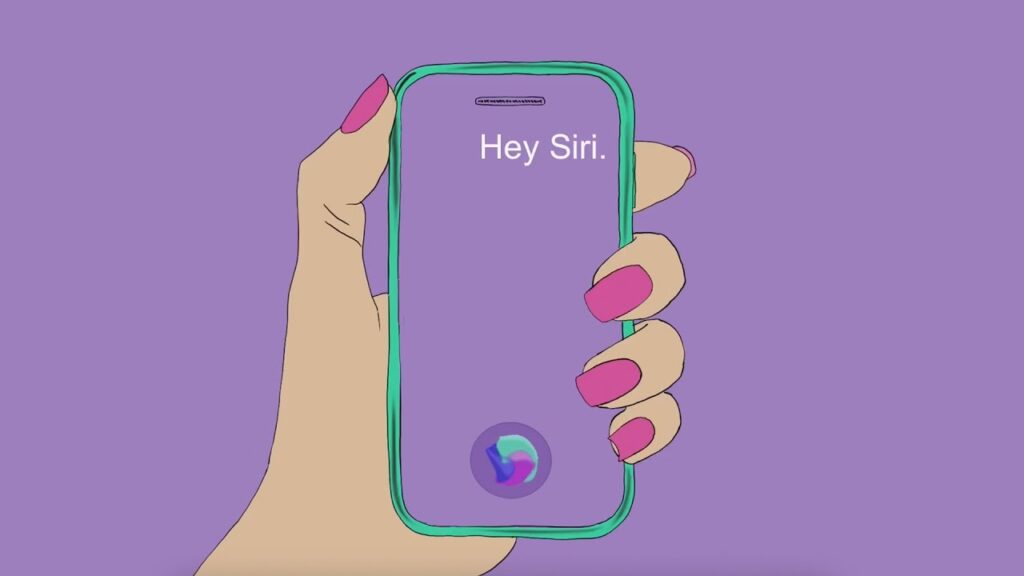
- Explored text-to-speech tools using Siri (Apple) and Read Aloud (Microsoft Word).
Learned how text-to-speech can support inclusion by making written content more accessible for students with reading difficulties. - Recognised that assistive technology can help promote student independence by providing an alternative way to access text.
- Noticed that the setup process and multiple steps required to access the feature can create barriers.
- Familiarity with software such as Apple can make tools more intuitive and the configuration of “Hey Siri” feature highlights how a understanding the setup is an important part of making assistive technology accessible.
Google Speech to Text
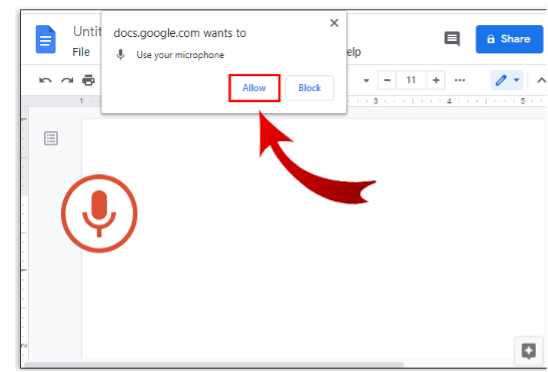
- Can support students who find writing, typing, or spelling challenging by providing another way to express their ideas.
- Voice recognition may be less effective for students with strong accents, speech impediments, processing delays, or anxiety, which can create new barriers.
- If speech-to-text is not successful, alternatives such as audio or video recordings can provide other ways for students to demonstrate their understanding.
- Speech-to-text combined with AI tools can improve grammar, spelling, and punctuation, making ideas easier to communicate.
- This raised an interesting question for me… Should assignments allow AI to edit or correct errors that another technology has produced? How do you carefully consider the benefits in learning goals and graded assignments?
Day 3: Tech & Learning
SAMR Model
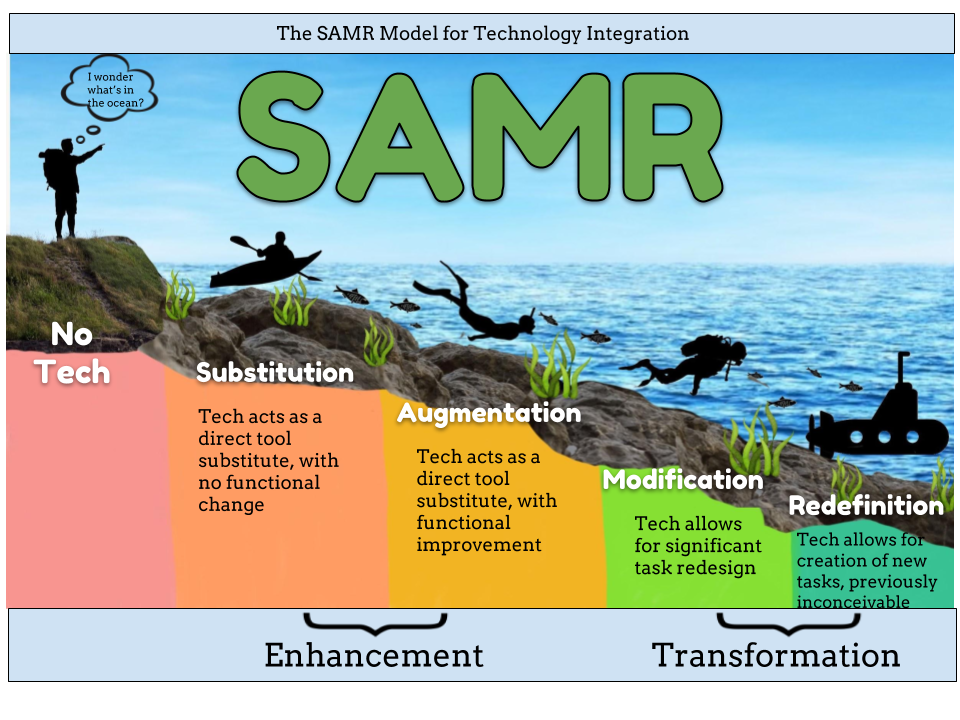
Enhancement (Substitution + Augmentation)
- Technology replaces or improves an existing task.
- Makes learning more efficient, accessible, or flexible.
- The purpose of the activity remains mostly the same.
- Example: Replacing handwritten work with digital documents or using tools like spell check and voice-to-text.
Transformation (Modification + Redefinition)
- Technology redesigns learning experiences and creates new possibilities.
Students use technology to create, collaborate, communicate, and explore ideas in deeper ways. - Learning tasks move beyond traditional methods. Encourages ownership, creativity and engagement
- Example: Students creating digital maps or a storymap in Geography to share ideas, collaborate, and engage in deeper discussions rather than simply drawing a paper map.
Tech Tools & Applications in the Classroom
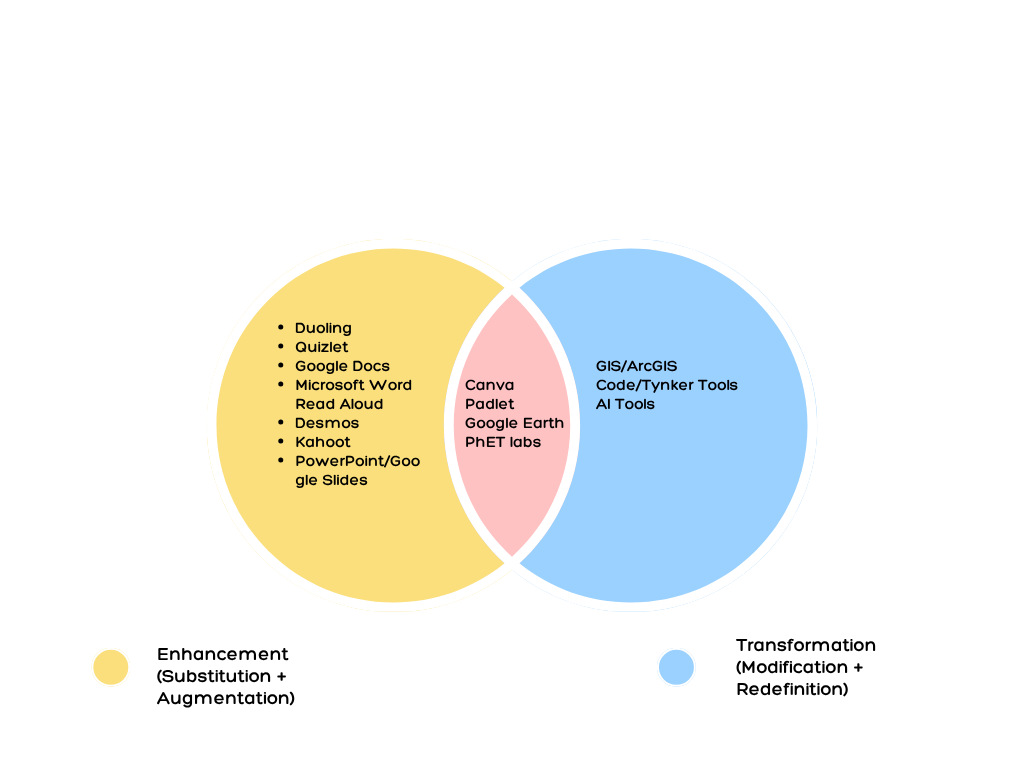
We explored different technology tools that can be potentially used in our classrooms. I organised tools into a Venn Diagram to show where they fit within the SAMR model. This visual was created using Canva.
Universal Design for Learning
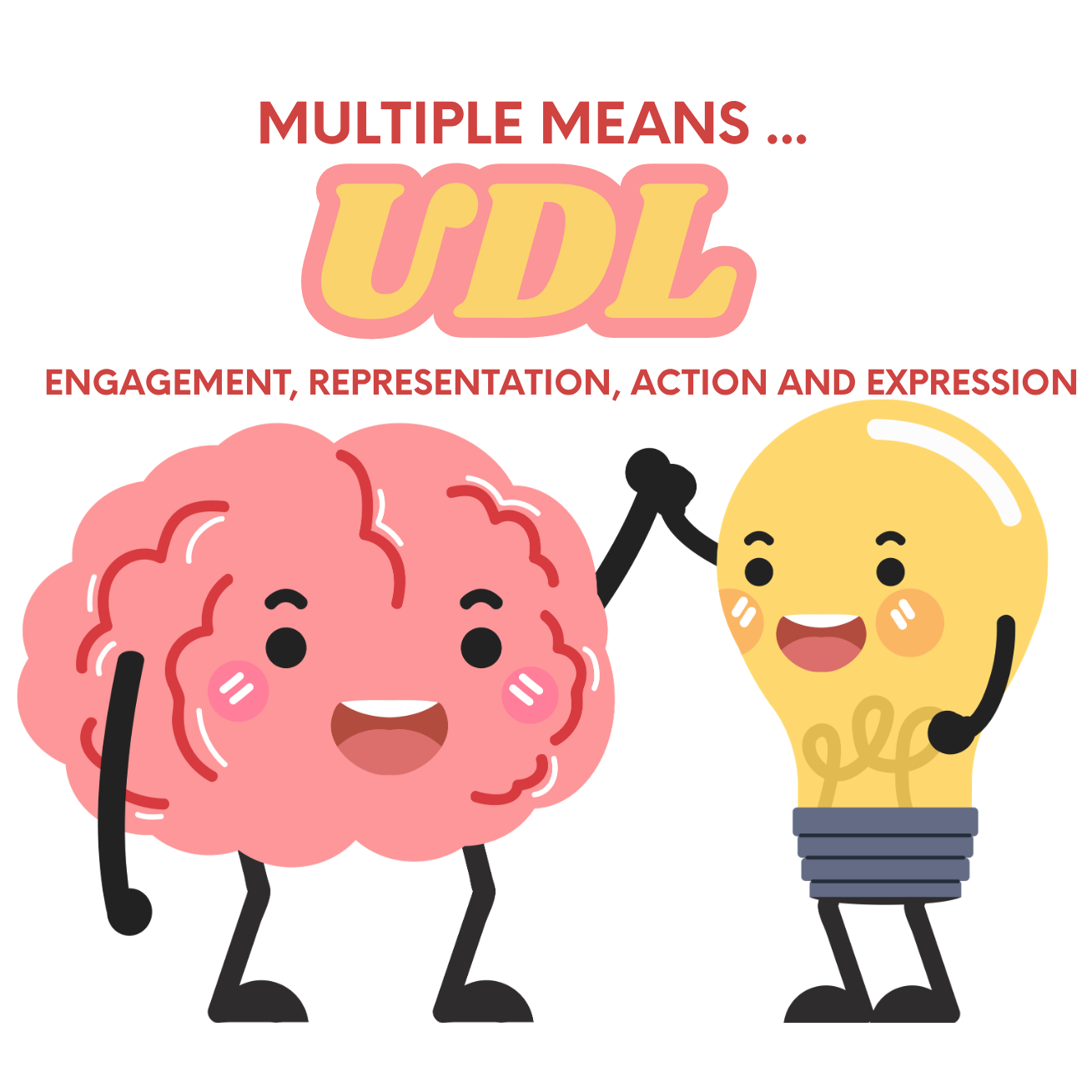
Interesting to look at how Tech Tools can be used to help support UDL through designing lessons for multiple means of engagement, representation, action, and expression.
Technology can in Multiple Means of Engagement
- Give students different ways to demonstrate understanding.
- Support writing with speech-to-text, spell check, and accessibility tools.
- Encourage creation through videos, podcasts, presentations, digital maps, or infographics.
- Promote collaboration using shared documents or digital whiteboards.
Technology can in Multiple Means of Representation:
- Present information through text, audio, images, video, and interactive media.
- Support diverse language needs with translation, captions, and text-to-speech.
- Allow students to explore concepts through simulations, maps, and visualisations.
- Adjust accessibility features such as font size, colour contrast, or read-aloud tools.
Technology can in Multiple Means of Action and Expression:
- Increase motivation through choice and personalisation.
- Provide immediate feedback and opportunities for self-assessment.
- Encourage collaboration and discussion.
- Connect learning to authentic, real-world contexts.
How can using UDL or SAMR improve your teaching?
During my practicum, I incorporated principles of UDL by providing students with options and choice in how they engaged with learning. I found that offering flexibility increased participation and helped students feel more confident. This course also introduced me to the SAMR model, which has given me a framework for thinking more critically about how technology can support learning. The SAMR model highlights that technology can be used at different levels, from simply replacing traditional tools to creating new learning experiences that would not have been possible without technology. Moving forward, I hope to use technology more intentionally to support collaboration, creativity, and authentic learning opportunities for students.
Day 4: Gamefied Learning
Virtual Field Trips
As a geographer, this was probably one of my favourite topics because it expanded my understanding of what a “field trip” can look like. While in-person experiences provide valuable opportunities for connection and exploration, virtual experiences can increase accessibility by reducing barriers such as cost, transportation, location, and scheduling. They also provide opportunities for students to explore places beyond their immediate surroundings and engage with content in a more interactive way. Some interesting virtual field trips:
- Royal BC Museum Digital Field Trips
- Montreal Holocaust Museum Virtual Exhibition
- Legislative Assembly of BC Virtual Tour
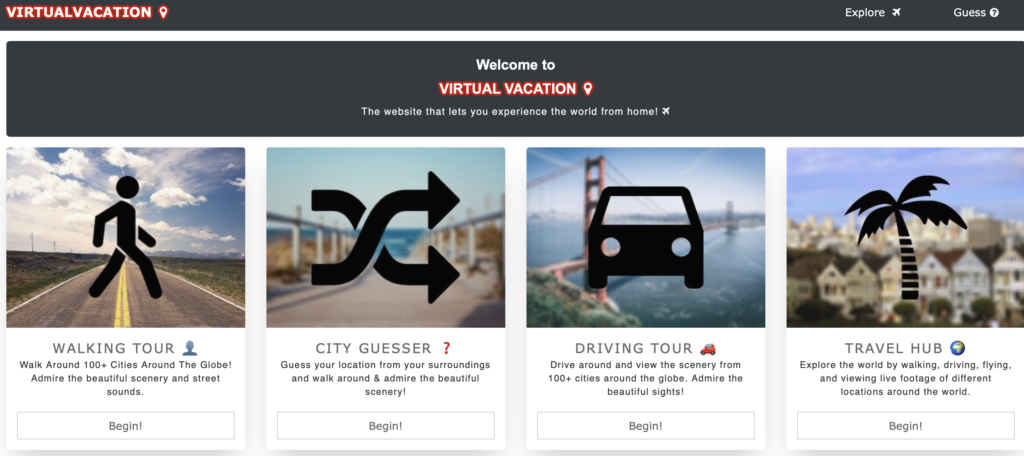
Digital Exploration: Virtual Vacation & GeoGuessr
Something I have enjoyed exploring is Virtual Vacation and GeoGuessr. These virtual experiences remind me that geography is often about observation, curiosity, and making connections between people and places. These tools encourage students to investigate their surroundings, analyse geographic clues, and develop spatial thinking skills in an engaging, game-like format. They demonstrate how technology can transform exploration into an interactive learning experience, allowing students to “travel” and investigate places they may never have the opportunity to visit in person.
Create a game – Jeopardy!
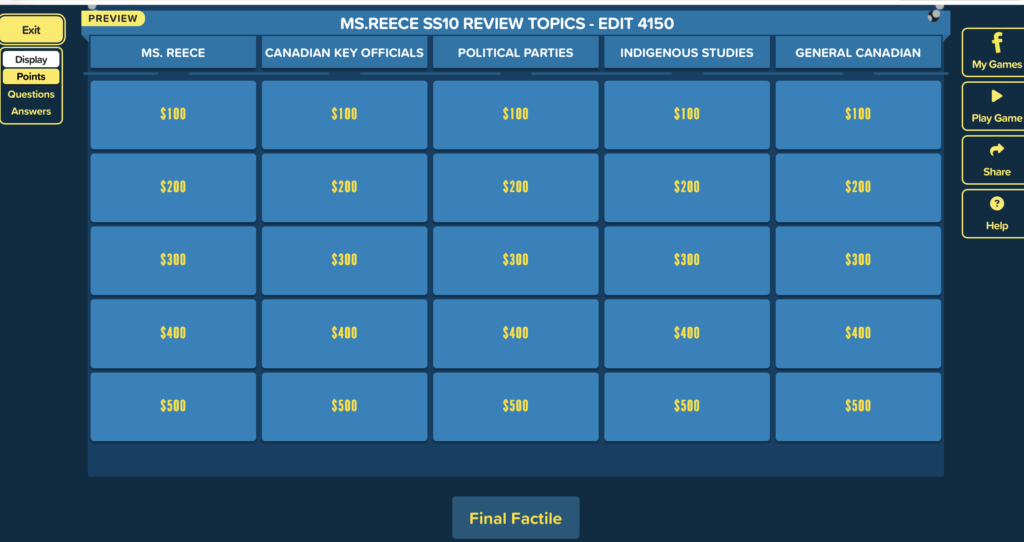
This Jeopardy-style review activity uses gamification elements such as competition, collaboration, and immediate feedback to engage students in reviewing course content. Incorporating “Ms. Reece” themed questions adds a personal and fun element, helping build classroom community while reinforcing learning.
Scavenger Hunt
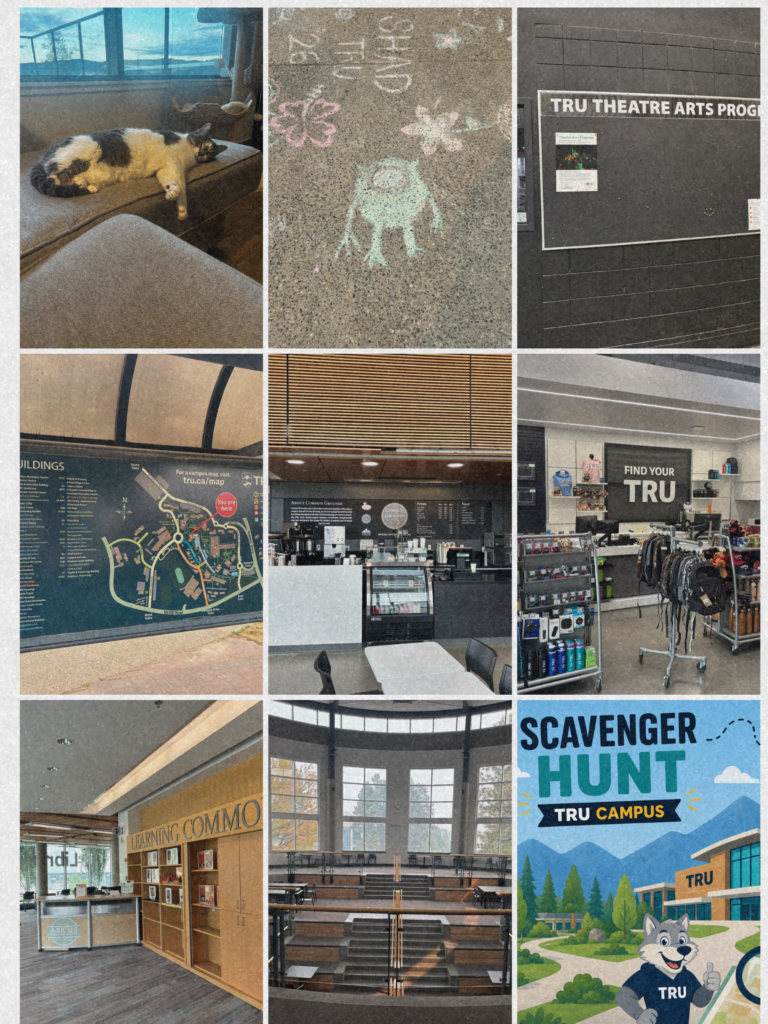
Campus Scavenger Hunt
The campus scavenger hunt showed how gamification and experiential learning can encourage engagement and curiosity. By exploring campus spaces, we developed a stronger connection to our learning environment while collaborating and discovering resources we may not have noticed otherwise. This activity reinforced that learning does not always need to happen within traditional classroom structures and that meaningful experiences can be created through exploration and inquiry.
I enjoyed this activity because it made me look at a place I am already very familiar with in a different way. Since I spend so much time on the TRU campus, I often move from one place to another without really paying attention to what is around me. Creating a scavenger hunt encouraged me to slow down and notice some of the smaller details and spaces that I might normally overlook. I also liked that the activity could be approached in many different ways. Some of the items were specific places, while others encouraged me to think about what makes a space interesting or memorable. My apartment building was probably my favourite addition because, although it is technically on campus, it is not somewhere I would normally think of as part of a campus scavenger hunt. It reminded me that we all interpret places and questions differently based on our own experiences and perspectives.
Power of Observation – Scavenger Hunt Lesson
Inspired by the investigative skills of characters like Elle Woods from Legally Blonde and Sherlock Holmes from literature and film, this lesson & scavenger hunt transforms observation into a challenge. Students become “detectives,” using skills often portrayed in media such as attention to detail, evidence gathering, and critical thinking to notice details others may overlook. The activity encourages students to question what they see and recognise the importance of careful observation.
Power-of-Observation-Scavenger-HuntDay 5: Tech Supported Inclusive Classroom
I found this day particularly interesting, although it was a little more difficult to reflect on. Assistive technology can be highly personalised to an individual’s needs, while technology itself changes so rapidly. Access to more specialised software and devices can also depend on available funding and resources. This day reminded me that the focus should not simply be on finding the newest or most advanced technology, but on understanding students’ individual needs and knowing what resources and supports are available to help remove barriers to learning.
Activity: Arranging our class birthdates from January 1 – December 31st

In this activity, we had to line up in order of our birthdates from January 1 to December 31 without speaking. It was a fun challenge, but it also made me think about the barriers that can arise from limiting how students communicate. Technology could provide alternative ways to communicate, such as typing, visual communication, or assistive communication tools, allowing more students to participate. It reminded me that even simple activities can benefit from considering different ways for students to engage.
Resources Available
I found this video on free assistive technology for the classroom helpful. Although it is a few years old, and technology changes quickly, it highlighted that there are many accessible resources available for teachers to explore and use.
SET-BC
SET-BC is a BC Ministry of Education and Child Care provincial resource that supports students with disabilities through assistive technology, resources, and training. I found it particularly useful because it includes a variety of lesson plans and showed the range of assistive technology and supports available to students and teachers in BC. I liked seeing how technology can be used to reduce barriers and provide students with different ways to access and demonstrate their learning.
One cool piece of technology I learned about was Clicker by Crick Software. SET-BC also includes some Clicker vocabulary sets, making it useful for BC educators.
EREECE_ASSISTIVE-TECHNOLOGYclicker_EDIT4150Day 6 & 7 : Artificial Intelligence
Discussion: Will AI Improve Education? Strongly Agree, Agree, Disagree, or Strongly Disagree.
Today we started a discussion on our view on AI in school and if we feel if it could improve or negatively impact education. I was in the “Agree” group, where we felt AI has the potential to support and transform education, but the wording of the question could have focused more on change rather than improvement. AI will likely reshape aspects of teaching and learning, but whether that change improves education depends on educators’ decisions, ethical considerations, and how thoughtfully these tools are integrated. The classroom atmosphere created by teachers, along with curriculum expectations and learning standards, will continue to play an important role in determining how AI is used.
Main takeaways for AI in education:
- Responsible Use: AI should be used ethically, safely, and responsibly to support teaching and learning.
- Teacher Professional Judgement: Educators remain responsible for deciding when and how AI tools are used in the classroom.
- AI Literacy: Students and educators need to understand AI capabilities, limitations, biases, and potential impacts.
- Privacy and Data Protection: Schools must consider how AI tools collect, store, and use student and personal information.
- Academic Integrity: Clear expectations should be established around appropriate AI use for assignments, assessments, and learning tasks.
- Human-Centred Approach: AI should enhance learning experiences while maintaining relationships, critical thinking, and human decision-making.
- Equity and Accessibility: AI implementation should consider access, inclusion, and potential barriers for all learners.
- Ongoing Learning: As AI technology continues to evolve, schools and educators need to adapt guidelines and continue professional learning.
Interesting video I found on AI tools for teachers:
AI School Guidelines and Policies
Comparing AI policies across districts highlighted that there is not a single approach to AI implementation in BC. Some districts focus more on establishing approved tools and clear restrictions, while others provide guiding principles that allow educators more flexibility.
Interesting article from CBC highlighting bringing AI in BC Classrooms and certain parental concerns over AI school policies.
AI Presentation: Khanmigo AI Assistant by Khan Academy
Exploring Khanmigo expanded my understanding of the capabilities of AI in education. AI tools can support personalized learning by providing feedback, guiding students through questions, and assisting educators in creating resources and learning experiences. However, this experience reinforced that AI should be viewed as a tool to enhance teaching rather than replace the educator. Teachers play an essential role in evaluating AI outputs, considering ethical implications, and ensuring technology is used in ways that support student learning.
Khanmigo-EDIT-4150-1Media Literacy
Media literacy is an important part of technology education for me. Technology gives students access to an enormous amount of information, but being able to access information is different from knowing how to evaluate it. My practicum experiences reinforced how important it is to help students question what they see online, consider different perspectives, and think about where their information comes from. I see this as an important part of preparing students to be informed and critical citizens. One example of ongoing technology use I did during practicum was evaluating social media and media and its impacts in our everyday lives. This tied really well with our Government & Politics Unit examining how social media may effect our political identity.

Integrating Media & Digital Literacy in Socials Studies 10 Journals
- Visited the CBC News and other news website and explored the current news stories.
- Explored how different sites may present information.
- Asked students whether they use social media and, if so, which platforms they use.
- Discussed whether students get their news and information from social media.
- Considered how social media can influence what information people see and how they interpret it.
- Writing about their experiences after taking the online Youth Vote Compass site.
- Discussed whether social media is beneficial for politics and political engagement.
- Encouraged students to think critically about where their information comes from and whether they can trust it
Summary
This course has expanded my understanding of educational technology beyond simply learning new digital tools. It has challenged me to think critically about how technology can support inclusion, creativity, collaboration, and meaningful learning. As I move forward in my teaching career, I will continue to use technology intentionally, always keeping relationships and student learning at the centre of my decisions.